Settings map
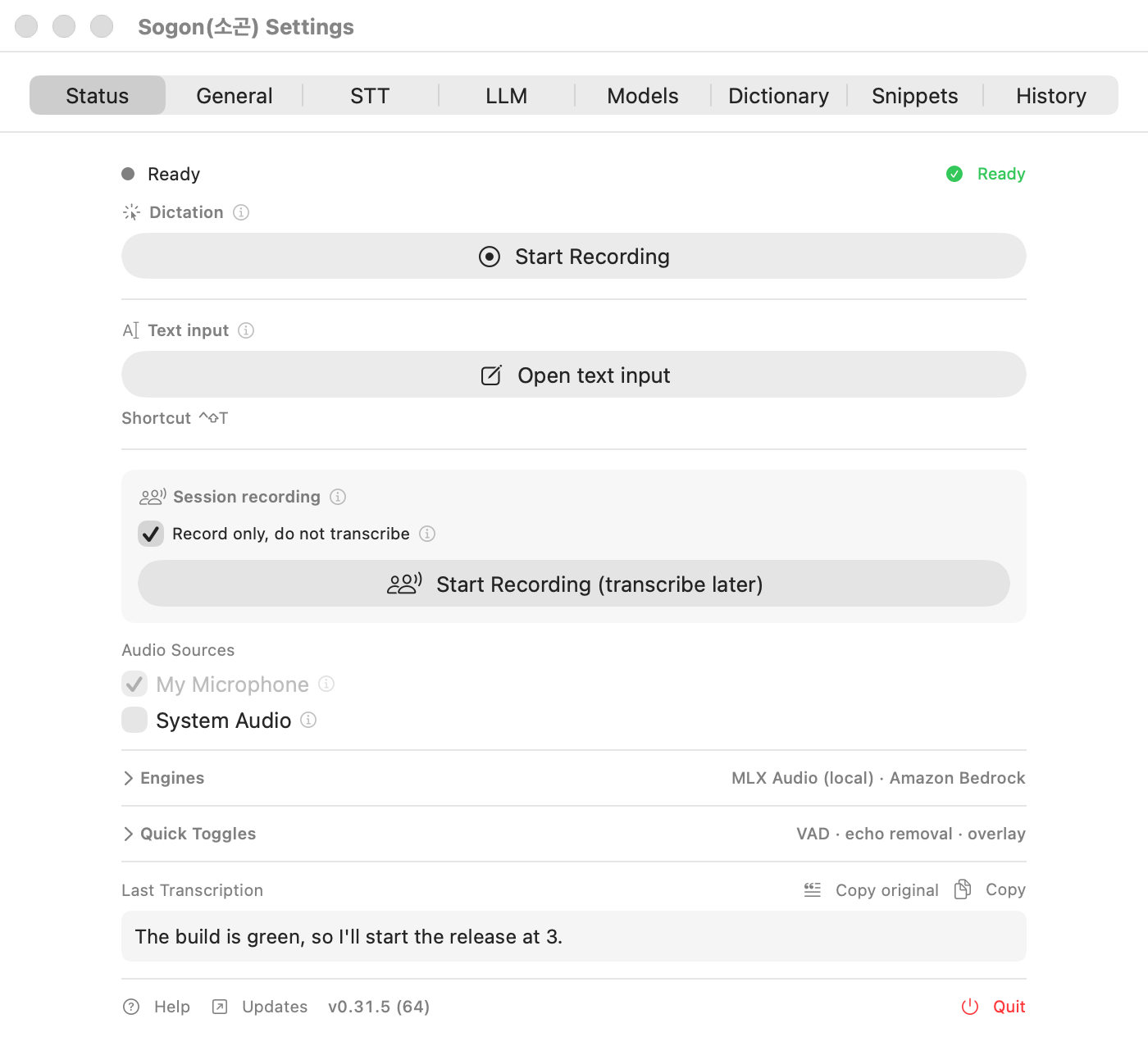
Open Settings from the settings button in the quick controls (click the menu bar icon) or from the Dock icon. There are eight tabs at the top.
| Tab | Main purpose |
|---|---|
| Status | The same controls as the quick controls: start and stop recording, cancel, audio sources, engines, last transcription, update notices |
| General | Shortcuts, recording mode, input sources, external tools, context restore, where the app appears, diagnostics, permissions |
| STT | Speech recognition engine and options, live preview, AWS Transcribe |
| LLM | Correction provider and key, model, correction mode, prompt templates |
| Models | Downloaded STT models, sizes, deletion, download progress |
| Dictionary | Word sets, terms, corrections, import and export |
| Snippets | Snippet list, name suggestions, send-out URL actions |
| History | Dictation, meeting, and translation history, file import, retention |
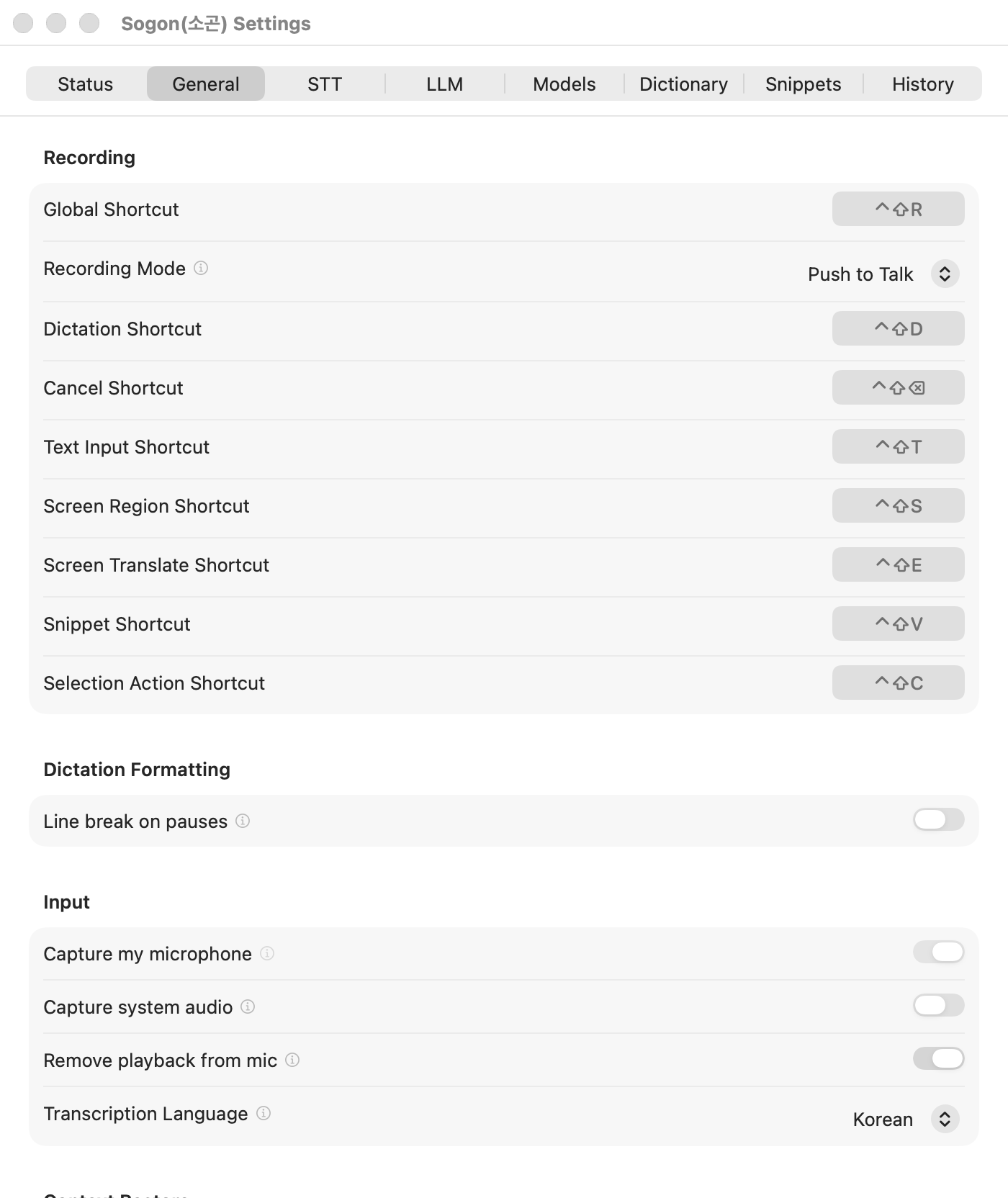
Sections of the General tab
| Section | Items |
|---|---|
| Recording | Global Shortcut, Recording Mode, Selection Action Shortcut, Snippet Shortcut, Text Input Shortcut, Screen Region Shortcut, Cancel Shortcut, Dictation Shortcut |
| Dictation Formatting | Line break on pauses, Pause threshold, Blank line between paragraphs |
| Input | Capture my microphone, Capture system audio, Remove playback from mic, Audio Input Channel, Transcription Language |
| External Tools | Allow text correction from external tools, Capture a screen region and talk about it (⌃⇧S), Translate the selection by pressing ⌘C twice |
| Context Restore | Restore browser tab/field (Chrome), Restore terminal session (iTerm2/tmux) |
| General | Interface Language, Show recording overlay, Overlay opacity, Menu bar icon, Right-click the menu bar icon, Show app in, Launch at login, Tutorial |
| Diagnostics | Write debug log, Export diagnostics, Open log folder |
| Permissions | Microphone, Accessibility, System Audio, Automation |
Where the app appears
In Settings → General → General → Show app in, choose Menu bar only, Menu bar + Dock, or Dock only. The default is Menu bar + Dock. If the MacBook notch or other menu bar apps hide the icon, you can still open Settings from the Dock. The change applies immediately, without a restart.
Interface language
In Settings → General → General → Interface Language, pick System, Korean, or English. It defaults to System and is independent of the transcription language.