Dictionary
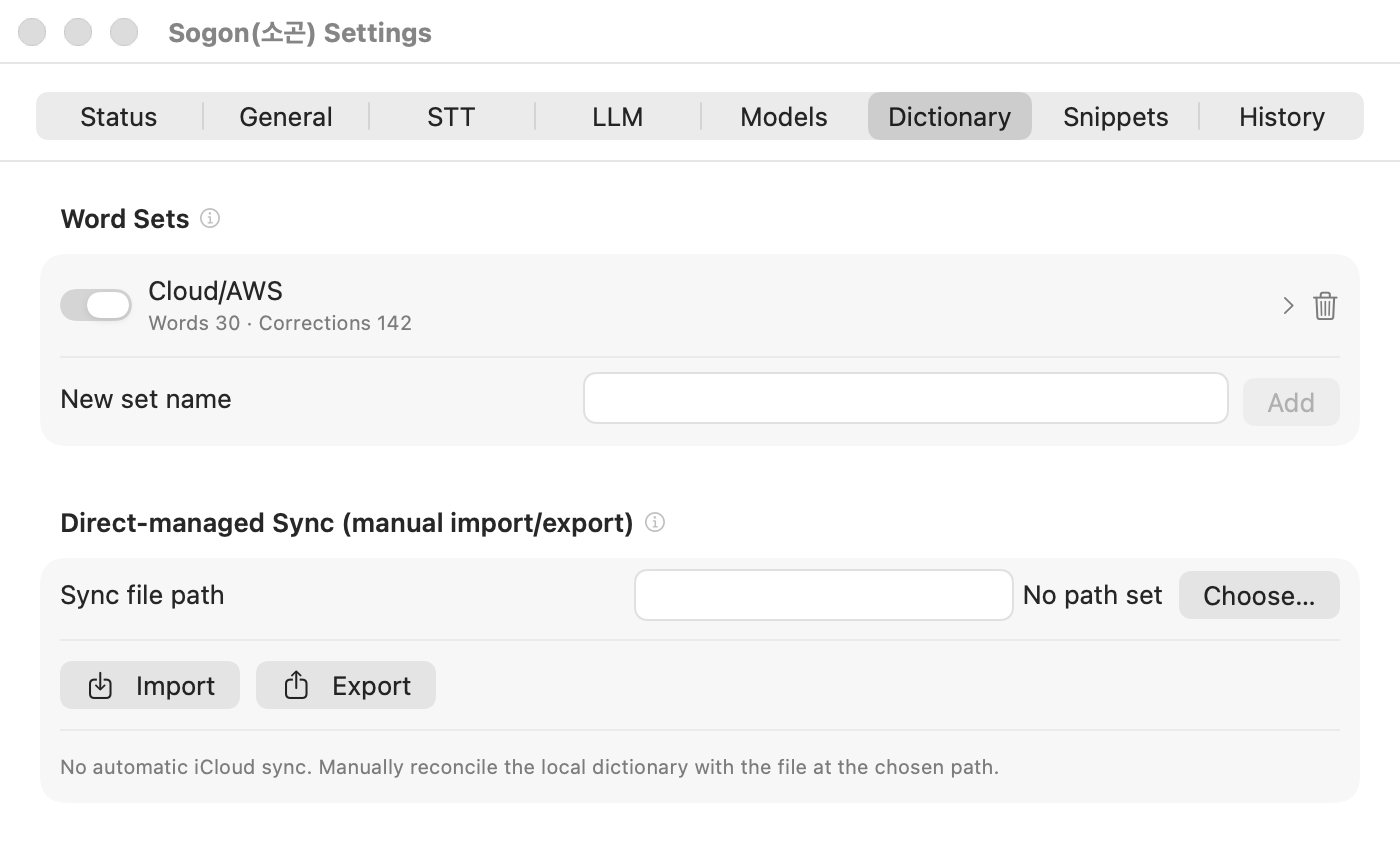
The Dictionary holds two tools for fixing terms that speech recognition often gets wrong. Manage them in Settings → Dictionary.
| Tool | What it does | Needs an LLM |
|---|---|---|
| Corrections (from → to) | Replaces from with to right after transcription and again after LLM correction. | No |
| Words | Passes the active set's words to LLM correction as a glossary so their spelling is kept. | Yes |
Corrections work even with the LLM turned off. For example, registering 람다 → Lambda replaces 람다 whenever it appears in a transcription.
Registering
- Choose a set under
Word Sets, or create one by entering aNew set name. - Enter glossary spellings in
New word. - To fix a misrecognized expression, fill in
FromandTounderCorrections (from → to).
Each set can be turned on and off. Turn off sets for topics you don't use.
Importing topic dictionaries
The repository's docs/dictionaries/ has 18 Cloud/IT topic sets with 142 corrections.
- Use
Choose…next toSync file pathto pick a JSON file. - Press
Import.
Importing replaces your existing sets instead of merging. If you made your own sets, back them up with Export first.
Not used during speech recognition
Sogon doesn't pass registered terms to speech recognition as a prompt. Repetitive prompts turned out to make Korean transcriptions come back empty, so Sogon applies terms only through corrections and the LLM glossary.