Managing history
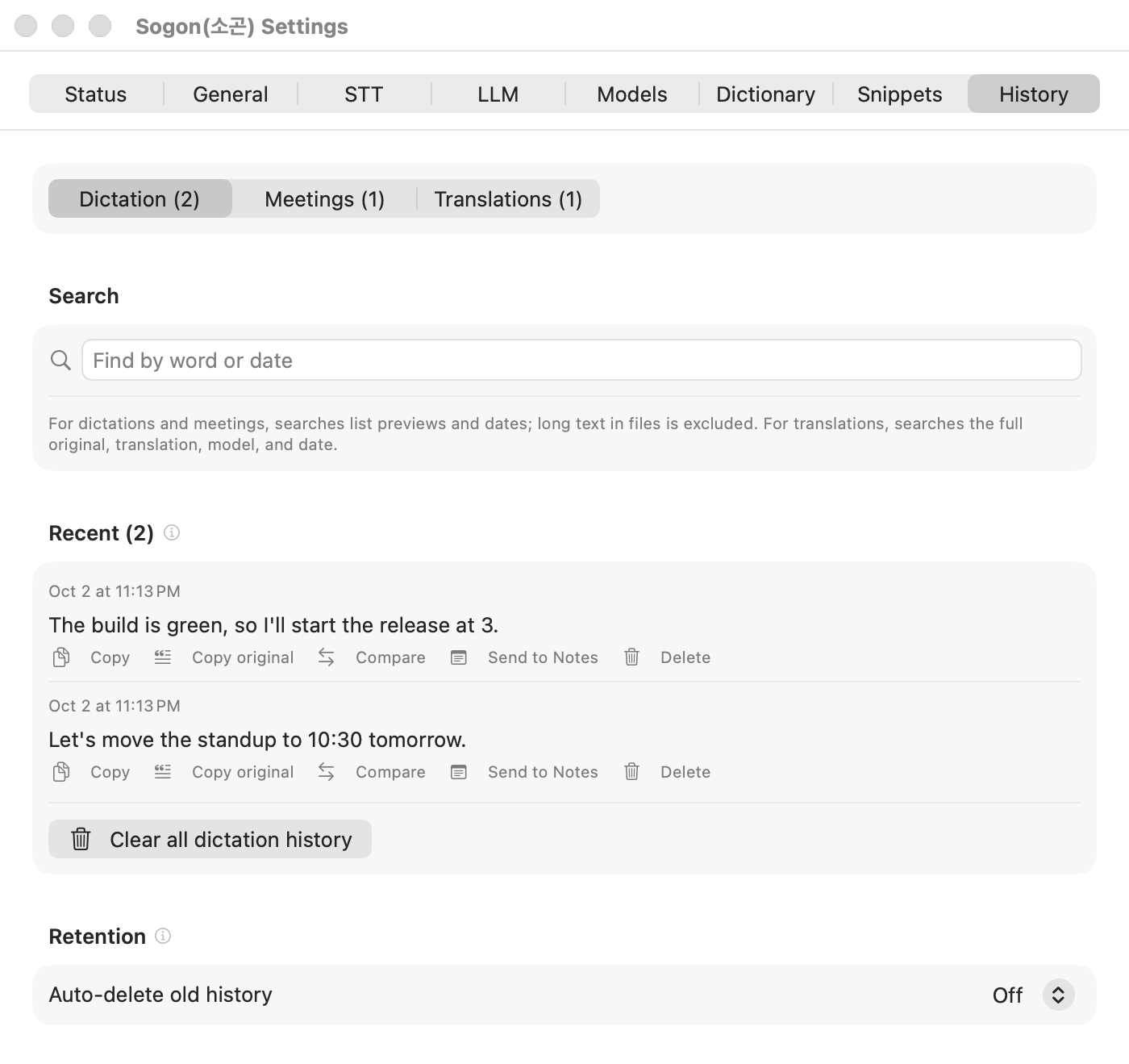
Settings → History holds three lists. Use the switcher at the top to view Dictation, Meetings, or Translations. Only lists with content appear in the switcher.
| List | What is kept | Retention |
|---|---|---|
| Dictation | The latest 100: corrected text, original, recording (when kept), screen capture | Follows the Retention setting |
| Meetings | Session logs, outputs, segment audio | Follows the Retention setting |
| Translations | Original, translation, model, tokens | Fixed at 7 days, latest 100 |
Finding
Type a word or a date in the search field above the list, and all three lists are filtered together.
- With several words, only items containing all of them remain, for example
meeting lambda. - Dates can be written as
2026-08-27,08-27, or8월 27일. - Dictation and meetings are searched by preview and date only. The full text of long dictations and full meeting transcriptions are not searched.
- Translations are searched in full, original and translation.
- Korean initial-consonant search isn't supported.
What you can do with a dictation item
Copythe text.- If the recording was kept, listen with
Play. Turn on keeping recordings withKeep audio recordingin the quick controls. It is off by default. - Items corrected by the LLM offer
Compareto highlight changed words and switch to the original. - Items from a screen region offer
View screenandCopy screen. Send to Notescreates a new Apple Notes note, including the screen capture when there is one.
Retention
In Retention at the bottom of the History tab, turn on Auto-delete old history and choose a period. The default is to never delete automatically. Sogon removes expired items when the app starts and when new history is added. Translations always use 7 days, regardless of this setting.
In the same place, if leftover recording folders that were never used for transcription are found, their count and size appear, and Reclaim audio deletes them. Sogon never does this while recording.
Deleting
- Deleting a single item asks for confirmation, and the message tells you which files go with it.
- Deleting a meeting item removes its session log, outputs, and remaining audio. Without the audio, the session cannot be transcribed again.
- Each list has a clear-all button:
Clear all dictation history,Clear all meeting history,Clear all translation history.